EDC Flow
Speak anywhere. Send it polished.
EDC Flow adds a Voice Bar above the keyboard you already use and turns what you say into clear, finished writing, right where you are typing: email, chat, notes, documents or search.
Free to download · 7-day Pro trial when you sign in, no card needed · Android 13 or newer

On your computer?Scan this with your Android phone's camera to open EDC Flow on Google Play.
Talk naturally. Get finished writing.
How EDC Flow works, screen by screen. Every screen here is the real app.
-
01
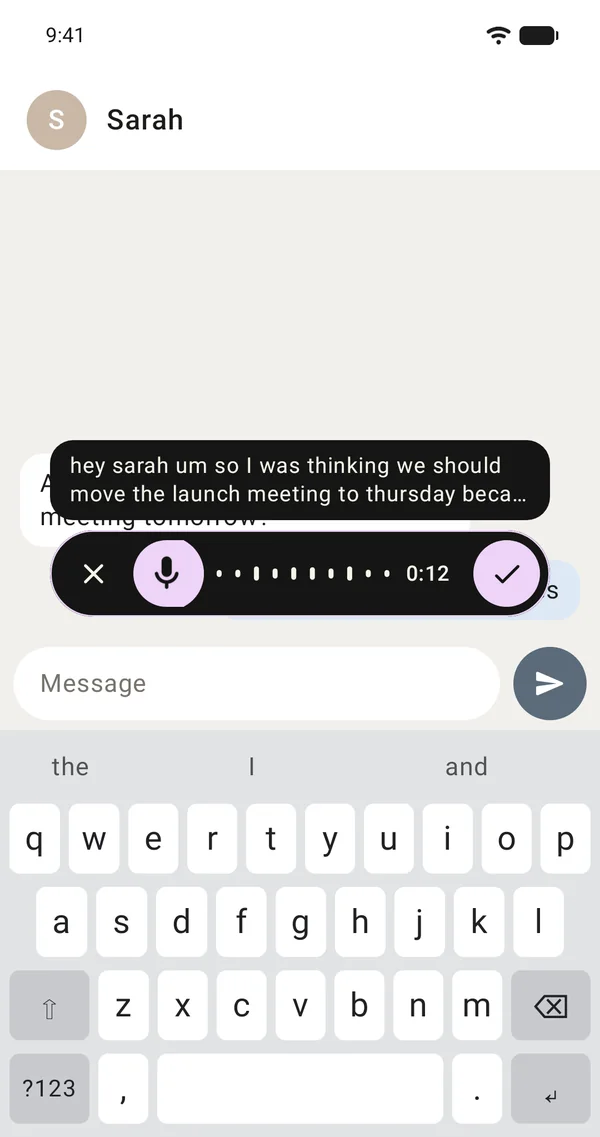
A Voice Bar above your own keyboard
Keep your own keyboard. The Voice Bar floats above Gboard, Samsung Keyboard or any other, and you can drag it wherever suits you.
- Hold to talk, release to insert
- Or tap once for hands-free and tap again when you're done
- Polished text goes in at your cursor, in any app
-
02
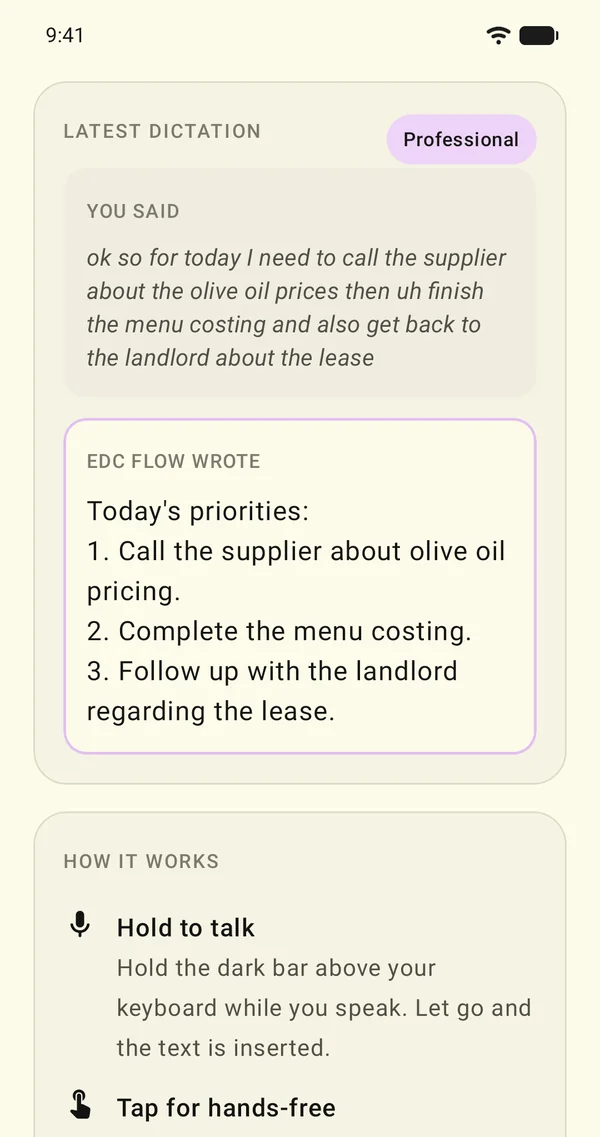
Finished writing, not a transcript
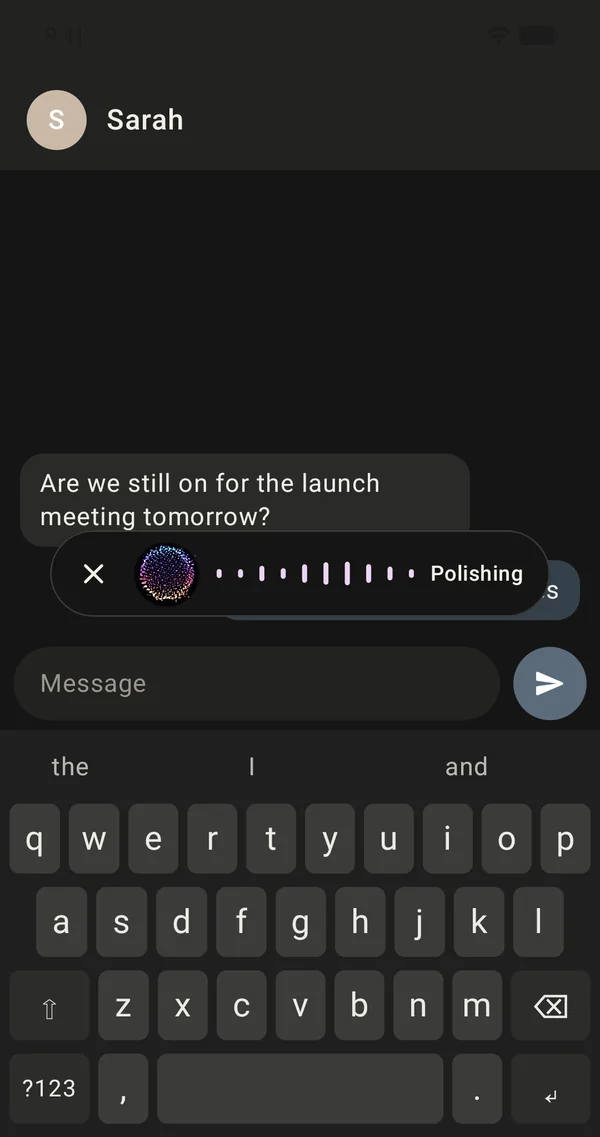
EDC Flow removes the ums and repetitions, keeps what you corrected mid-sentence, and adds punctuation and structure.
“Today's priorities: 1. Call the supplier about olive oil pricing.”
- Lists come out as numbered lists; times, dates and amounts are written properly
- A Writing Style for personal chats, work, email and everything else: Professional (the default), Casual or Concise
- It adapts to the app you're typing in: a greeting and paragraphs for email, short and natural for chat, exact terms for code
-
03
English and your phone's languages
Dictate in English or in your phone's own language, and in other languages you've downloaded for speech on your phone. EDC Flow writes in the language you spoke.
- On Android 14 and newer, it switches between them as you speak
- Add names, brands and terms to your Vocabulary so they're always spelled your way
- Never silent: if the EDC Engine can't be reached, EDC Flow still inserts a tidied-up version of your words and tells you why
-
04
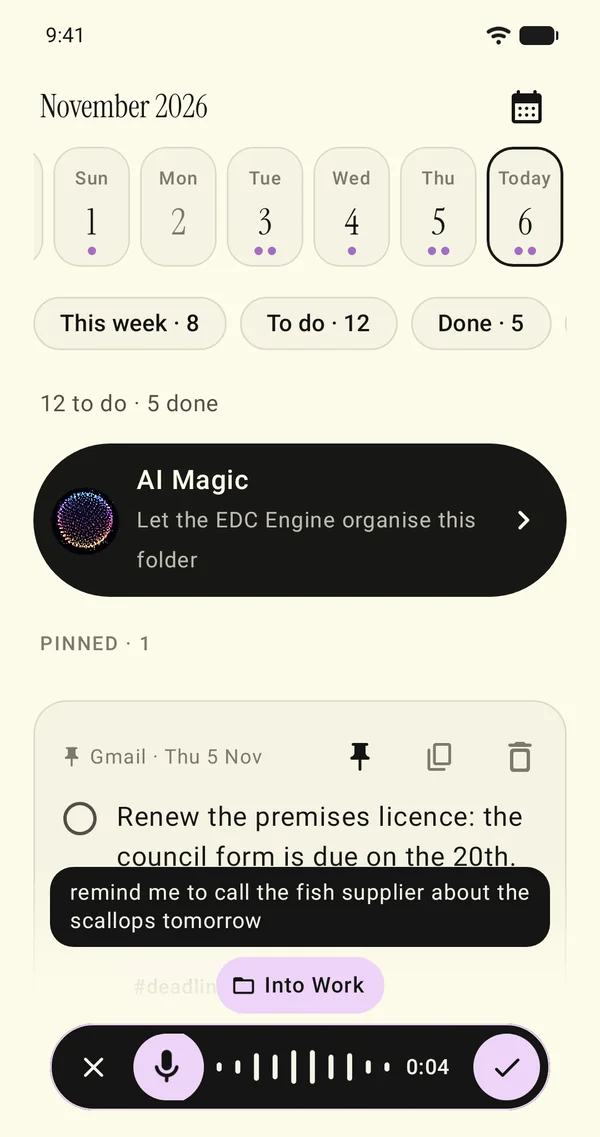
Speak into a folder
Use the folder button on the bar to speak a note that's filed instead of typed, or say “add to work: call the supplier”.
- While you speak, tap the folder it belongs in, or leave it on Auto and the EDC Engine picks
- The bar shows where it went, with Undo
- Every note is a task you can tick off. Rename folders or create your own
-
05
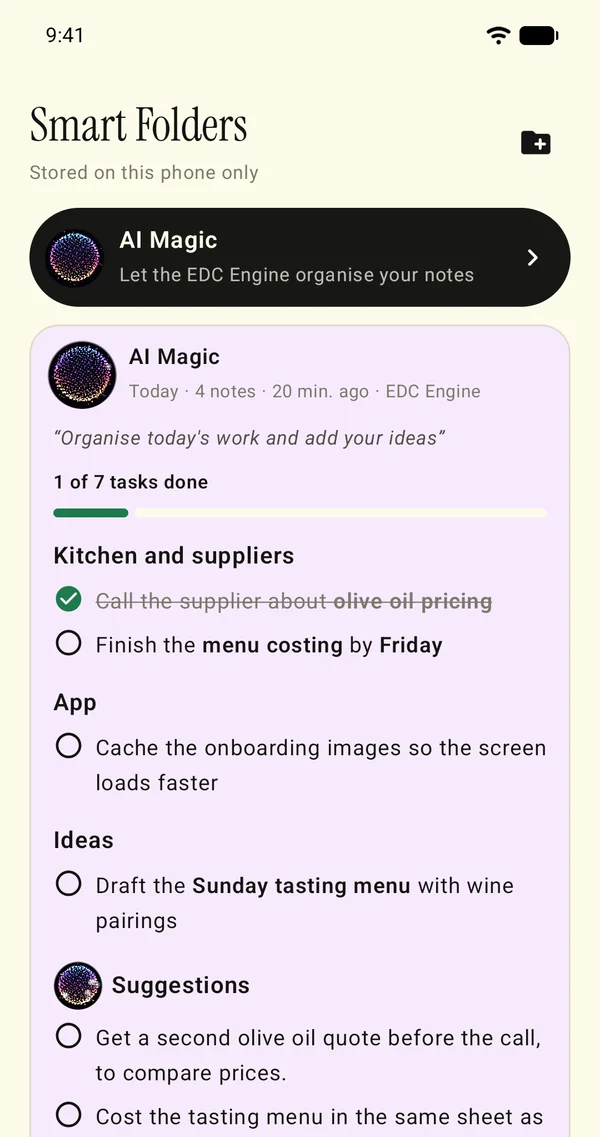
AI Magic for your notes
Tap AI Magic and say what you need, such as “organise today's work”. The EDC Engine turns your notes into a task list with the most important first and adds its own suggestions.
- Tick a task off there and its note is ticked off too
- Your dictations are also kept in Saved Messages
- Search your History
-
06
Your phone and your Mac
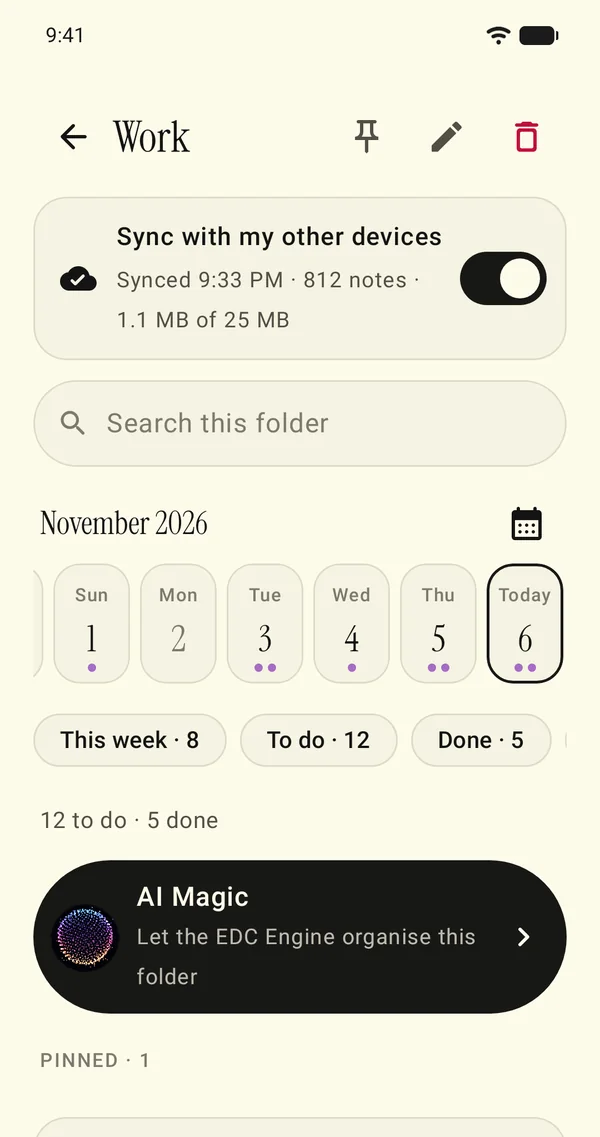
EDC Flow Pro is one plan for your phone and your Mac, and you can sync the folders you choose with EDC Flow on your Mac.
- Drafts: write or dictate first, then polish the whole draft with the EDC Engine
- Rewrite Modes: turn what you say into an AI prompt, or give the EDC Engine your own instructions for every dictation
- Quick Phrases: say “my email” and the whole address goes in
See EDC Flow in 42 seconds.
The Voice Bar above your own keyboard, finished writing, notes spoken into folders, and sync with your Mac.
42 seconds, narrated · the words are on screen too, so it works with the sound off.
Start with seven days of Pro.
Free
No ads, and your data is never sold.
- Sign in with an emailed code or Google and your 7-day Pro trial starts: 5,000 words with the EDC Engine and 10 AI Magic
- No card needed for the trial
- After the trial, carry on free: 2,000 words a week with the EDC Engine, then the basic clean-up until Monday
EDC Flow Pro Optional
Monthly or yearly. One plan for your phone and your Mac.
- Unlimited for normal use (fair use: 20,000 words and 30 AI Magic a week)
- The EDC Engine polishes every dictation
- Invite friends: you get a free week of Pro after each friend's first payment
EDC Flow Pro is an optional subscription. Google Play shows the price for your country before you subscribe. The plans are also set out on the EDC Flow Pro page.
Private by design.
-
Your voice stays on your phone
Your speech is recognised on your phone. Your voice recordings are never uploaded.
-
Only text is sent
Only text is sent, encrypted, to the EDC Engine: your dictation or draft to be polished, and your notes when you use AI Magic. Our server doesn't keep it.
-
No ads
No ads, and your data is never sold.
Good to know.
Is EDC Flow free?
It is free to download. When you sign in, a 7-day Pro trial starts, with 5,000 words with the EDC Engine and 10 AI Magic, and no card is needed.
After the trial you can subscribe to EDC Flow Pro, monthly or yearly, or carry on free with 2,000 words a week with the EDC Engine, then the basic clean-up until Monday. Google Play shows the price for your country before you subscribe.
Do I have to change my keyboard?
No. The Voice Bar floats above Gboard, Samsung Keyboard or any other keyboard, and you can drag it wherever suits you.
What do I need to use it?
Android 13 or newer with on-device speech recognition, and an EDC Flow account. You switch on the Voice Bar once in Accessibility settings, and the speech packs for your languages download once during setup. An internet connection is needed for the EDC Engine.
Which languages can I dictate in?
English or your phone's own language, and other languages you've downloaded for speech on your phone. On Android 14 and newer, EDC Flow switches between them as you speak, and it writes in the language you spoke.
Is my voice uploaded?
No. Your speech is recognised on your phone, and your voice recordings are never uploaded. Only text is sent, encrypted, to the EDC Engine, and our server doesn't keep it.
Why does it ask for Accessibility?
EDC Flow uses Android's Accessibility service only to show the bar and to type into the field you've selected. Apart from finding that field, it reads nothing else on your screen, and never password fields.
Does it work on a Mac?
Yes. EDC Flow Pro is one plan for your phone and your Mac. The Mac app is on the EDC Flow for Mac page.
Speak anywhere. Send it polished.
Free to download on Google Play. No ads, and a 7-day Pro trial with no card needed.
On your computer?Scan this with your Android phone's camera to open EDC Flow on Google Play.