Crisply
Clear, correct writing as you type.
Crisply checks your writing as you type and helps you say it clearly: correct grammar, spelling and punctuation, clearer sentences and the right tone, in British or American English. A small Crisply button sits on the text box you’re typing in, in most apps.
Free to download · 7-day free trial of Crisply Pro, no card needed · Android 11 or newer · UK and US

On your computer?Scan this with your Android phone's camera to open Crisply on Google Play.
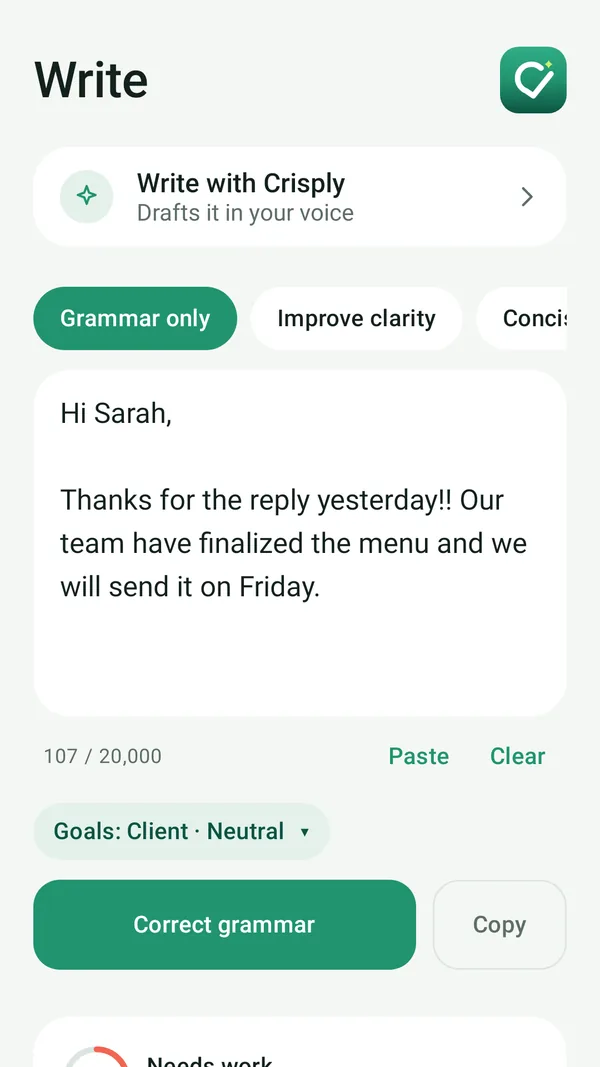
Works where you write.
How Crisply works, screen by screen. Every screen here is the real app; the names, messages and numbers on them are examples.
-
01
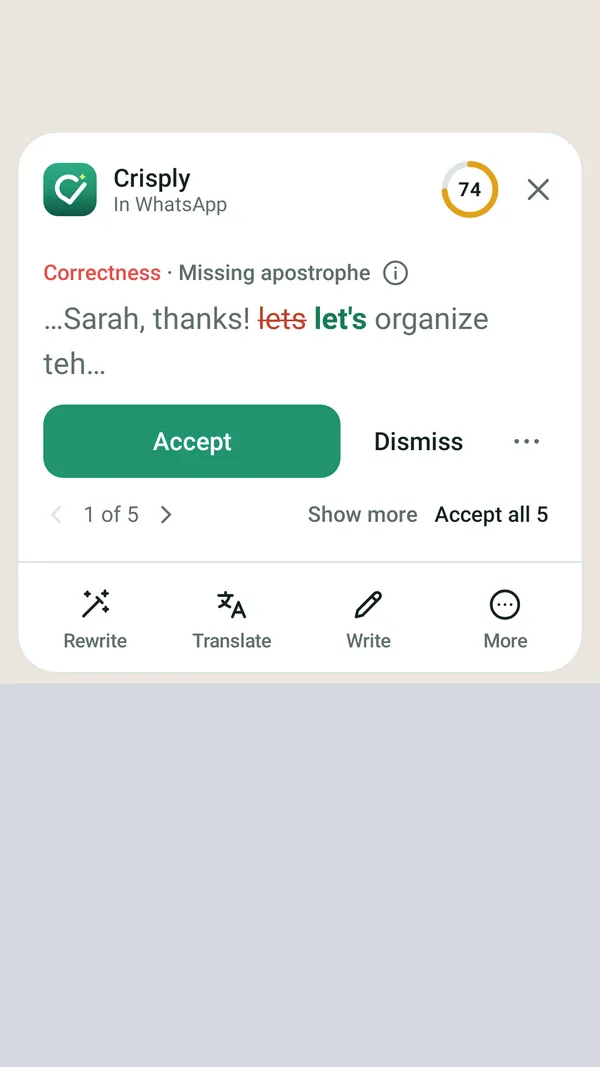
A Crisply button on the box you're typing in
In Gmail, Outlook, WhatsApp, LinkedIn, Chrome and most other apps, a small Crisply button sits on the text box you're typing in. Tap it to see suggestions.
- One suggestion at a time, with one tap to accept it
- Correct grammar, spelling and punctuation, in British or American English
- Or paste into the Crisply screen and check it there
-
02
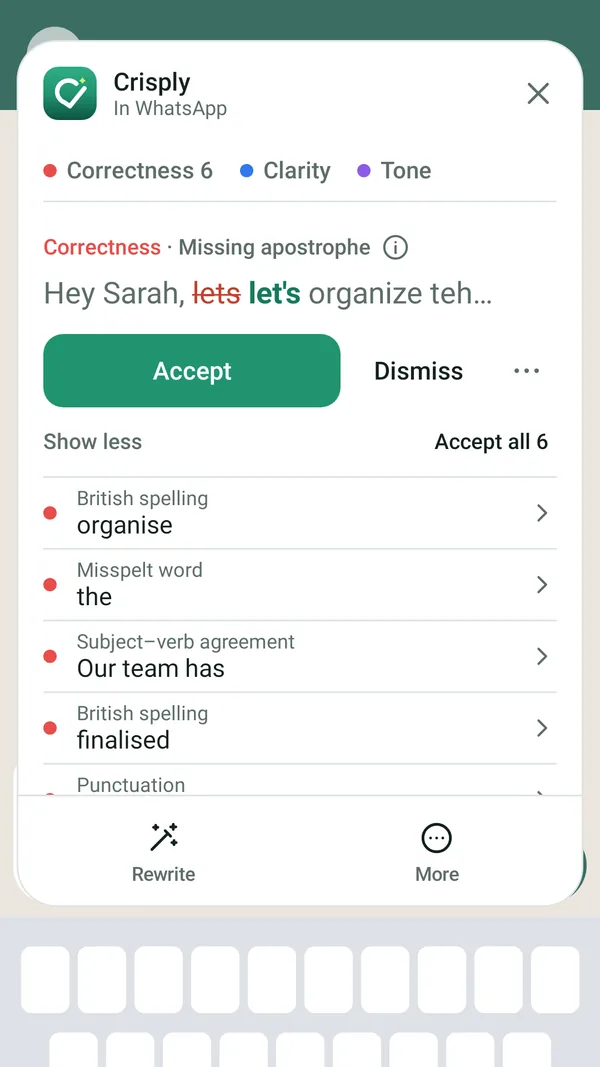
Every suggestion, one tap to fix
Show more lists every suggestion for the message, grouped as correctness, clarity and tone. Accept them one by one, or Accept all.
- Improve your text: a clearer version of a whole sentence, when it helps
- Snippets: type \thanks and your saved phrase goes in
-
03
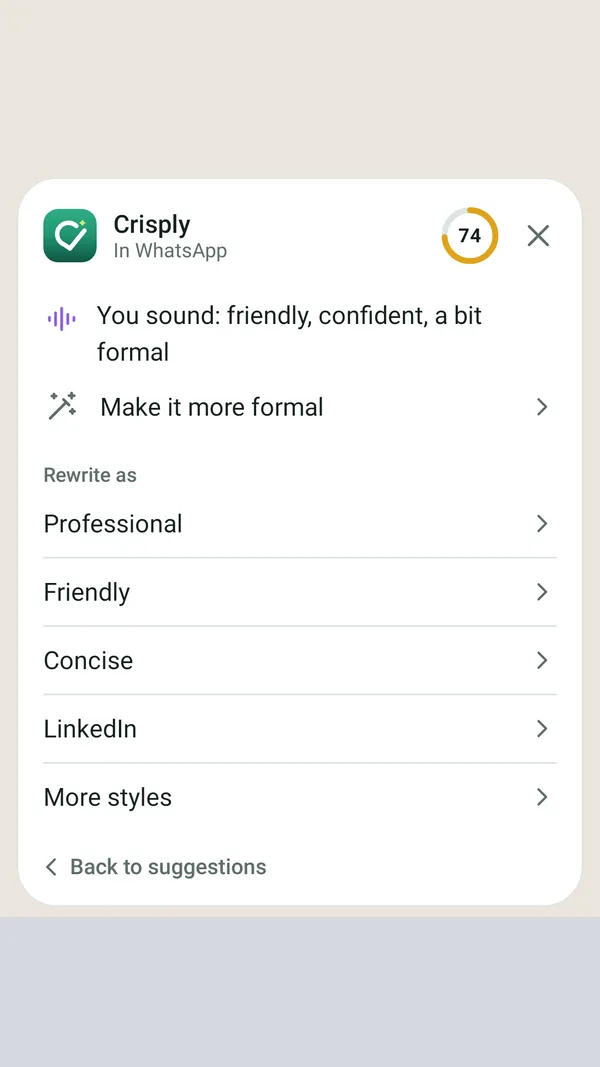
See how you sound, and change it
Crisply tells you how you sound (friendly, confident, a bit formal) and changes the tone in one tap.
- Rewrite as Professional, Friendly, Concise, LinkedIn and more
- Translate into 20 languages
- Goals for each message: who it's for, how formal, and what it's for
-
04
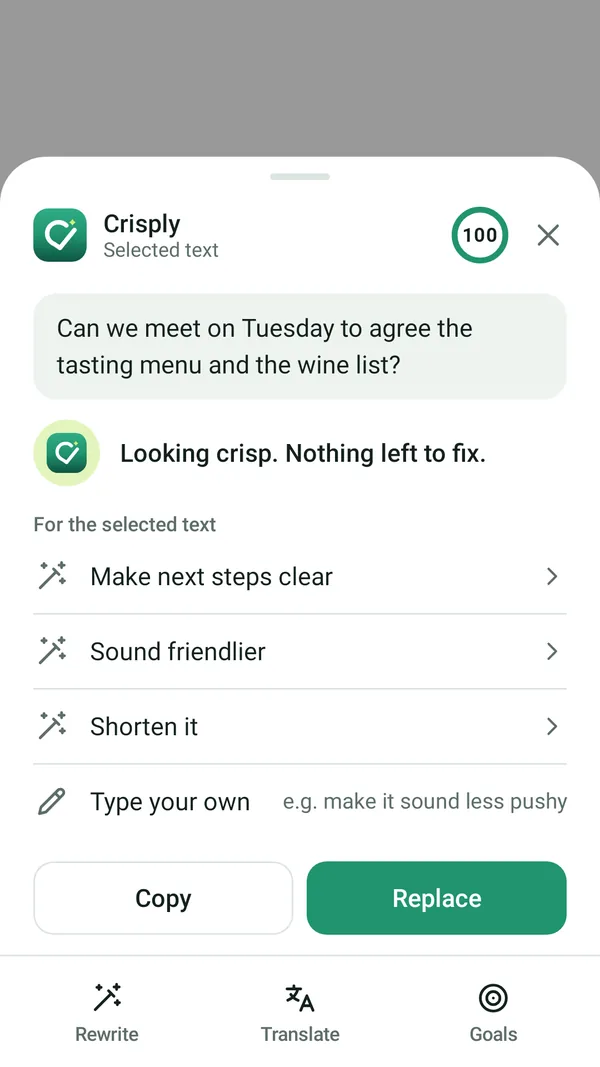
Select any text for one-tap changes
Select text in apps that offer it and tap Crisply in the menu. Crisply checks it and offers quick changes for that text.
- Quick changes for the selected text, or type your own instruction
- Meaning and synonyms: select a word to see what it means and swap it
- Copy the result or replace the selected text
-
05
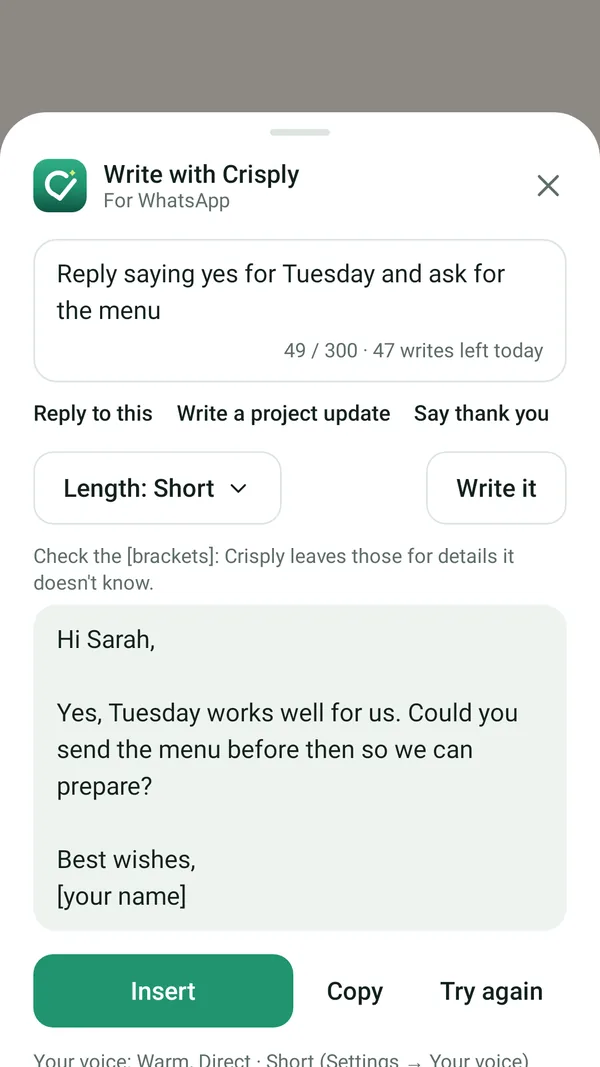
Write a draft from a few words
Write with Crisply: say what you need and get a short draft in your own voice, ready to insert into the message.
- Choose the length, then Insert, Copy or Try again
- Square brackets mark the details Crisply doesn't know, for you to fill in
- Your own style guide, a personal dictionary and weekly insights
-
06
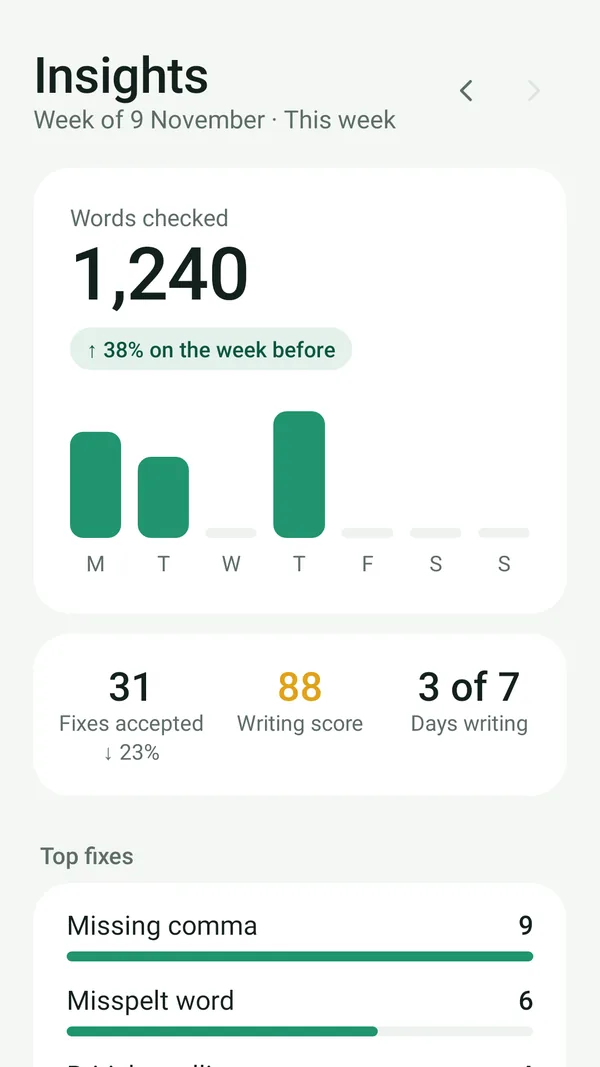
Your writing score and your week
Each message gets a writing score, with word count, reading time and how easy it is to read. Insights shows your week in writing.
- Words checked, fixes accepted and days writing, week by week
- The fixes you make most often
- How you sounded over the week
See Crisply in 40 seconds.
Suggestions as you type, one-tap fixes, tone and rewrites, selected text, drafts from a few words, and your week in writing.
40 seconds, narrated · the words are on screen too, so it works with the sound off.
Start with seven days of Crisply Pro.
Free trial
No ads, and your data is never sold.
- Sign in with your email address and a code we send you. Your 7-day free trial of Crisply Pro starts straight away
- No card needed, and nothing is charged when it ends
- One free trial per person and per phone
Crisply Pro Subscription
Monthly or yearly, bought in the app through Google Play.
- After the trial, checking your writing, rewrites, translations and Write with Crisply need Crisply Pro
- A monthly fair-use allowance; the app shows how much is left
- Cancel any time in Google Play
Google Play shows the price for your country before you subscribe. Your settings, snippets, dictionary and insights stay on your phone either way.
Private by design.
-
Only the box you're typing in
Crisply uses Android's Accessibility service only to show its button on the text box you're typing in, read that box and put the changes you accept into it. It never reads password fields, and you can turn it off in any app.
-
Only the text you check is sent
Only the text you check is sent, encrypted, to Crisply's server for suggestions. Our server doesn't keep it.
-
No ads
No ads, and your data is never sold.
Good to know.
Is Crisply free?
It is free to download. When you first sign in, a 7-day free trial of Crisply Pro starts, with no card needed, and nothing is charged when it ends.
After the trial, checking your writing, rewrites, translations and Write with Crisply need Crisply Pro, a monthly or yearly subscription. Google Play shows the price for your country before you subscribe, and you can cancel any time in Google Play.
Which apps does it work in?
Most apps you type in: Gmail, Outlook, WhatsApp, LinkedIn, Chrome and more. The Crisply button appears on the text box you're typing in. You can also select text in apps that offer it and tap Crisply in the menu, or paste into the Crisply screen and check it there.
What do I need to use it?
Android 11 or newer, a Crisply account and an internet connection. You switch on the Crisply button once in Android's Accessibility settings.
Why does it ask for Accessibility?
Crisply uses Android's Accessibility service only to show its button on the text box you're typing in, read that box and put the changes you accept into it. It never reads password fields, and you can turn it off in any app.
What happens to my writing?
Only the text you check is sent, encrypted, to Crisply's server for suggestions, and our server doesn't keep it. No ads, and your data is never sold. The privacy policy sets out the rest, including how to delete your data.
British or American English?
Either. Crisply checks your writing in British or American English, and it can translate into 20 languages.
Where can I get it?
Crisply is on Google Play in the United Kingdom and the United States, for Android phones.
Clear, correct writing as you type.
Free to download on Google Play. No ads, and a 7-day free trial of Crisply Pro with no card needed.
On your computer?Scan this with your Android phone's camera to open Crisply on Google Play.